![Logitech MX Master 4, First Haptic Mouse [Review]](https://img.hipsterpixel.co/logitech-mx-master-4-mouse-review-144.jpg "Logitech MX Master 4, First Haptic Mouse [Review]")

![Logitech MX Brio, The Ultimate 4K Webcam [Review]](https://img.hipsterpixel.co/logitech-mx-brio-4k-webcam-review-17.jpg "Logitech MX Brio, The Ultimate 4K Webcam [Review]")
Logitech MX Brio, The Ultimate 4K Webcam [Review]
In the era of remote work and content creation, having a high-quality webcam has become more crucial than ever. Logitech, known for their premium MX line of products, has entered this space with the MX Brio, promising to deliver professional-grade video quality with innovative AI features. Let’s see how this premium webcam stands out in the crowded market of video conferencing tools.
Design
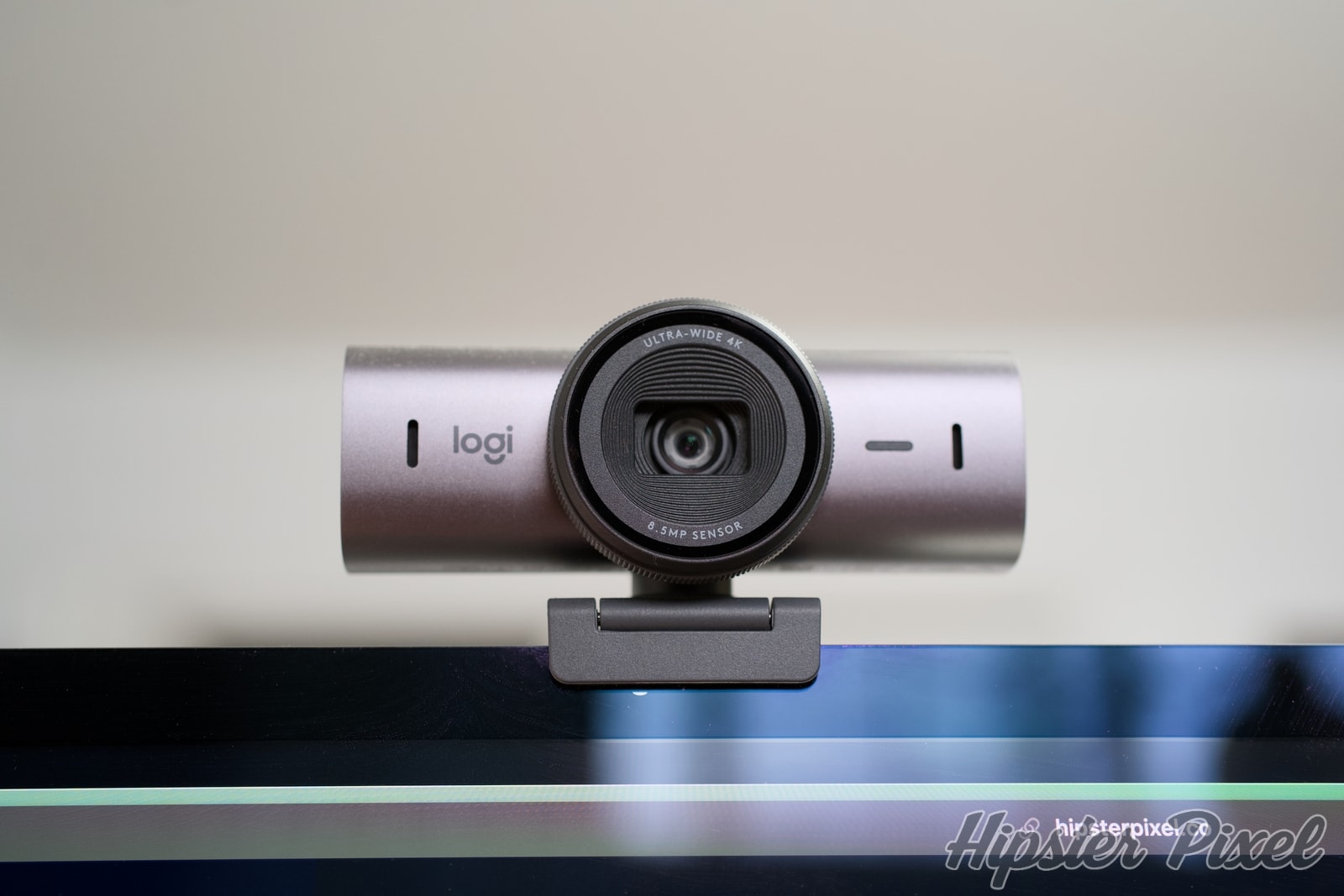
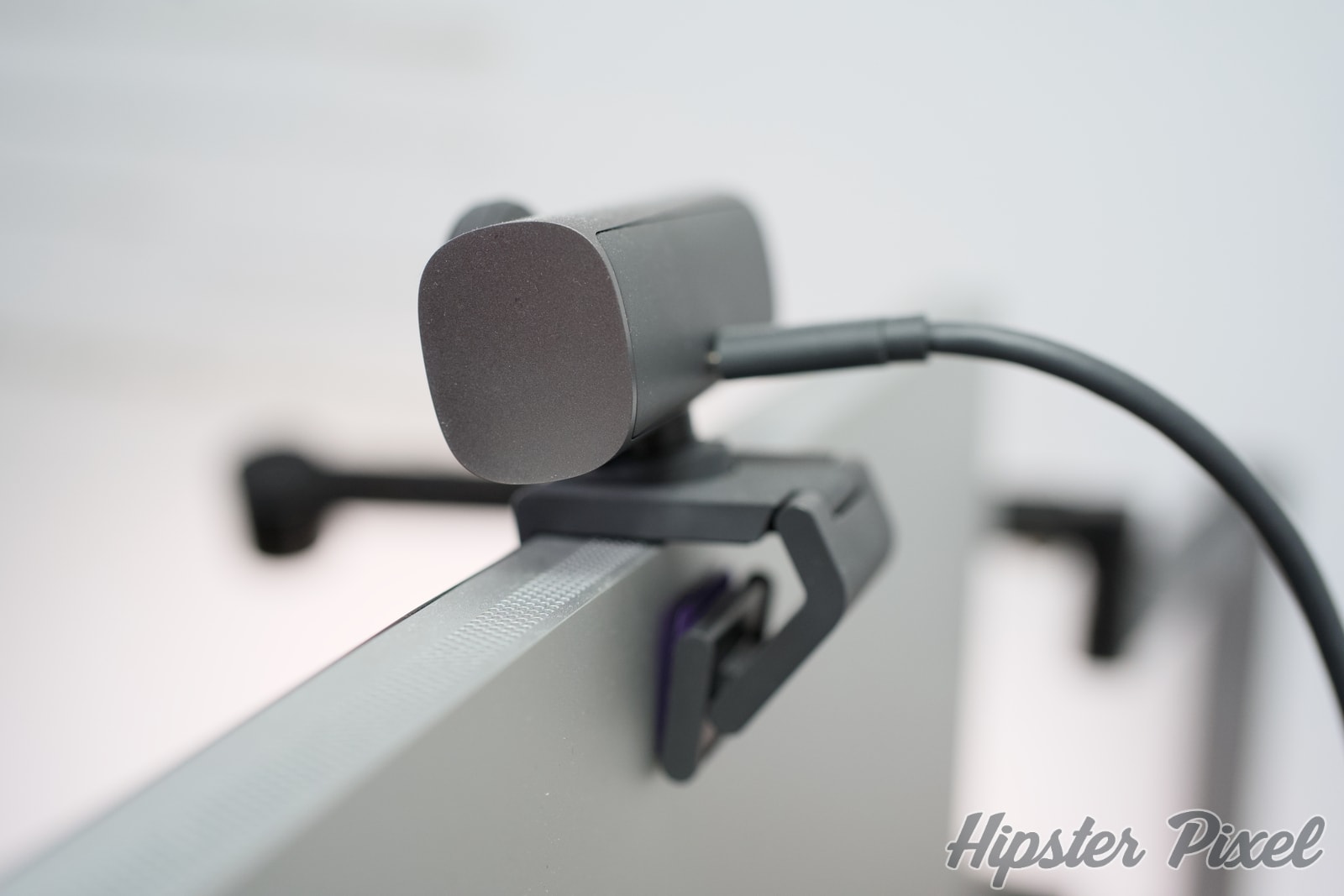
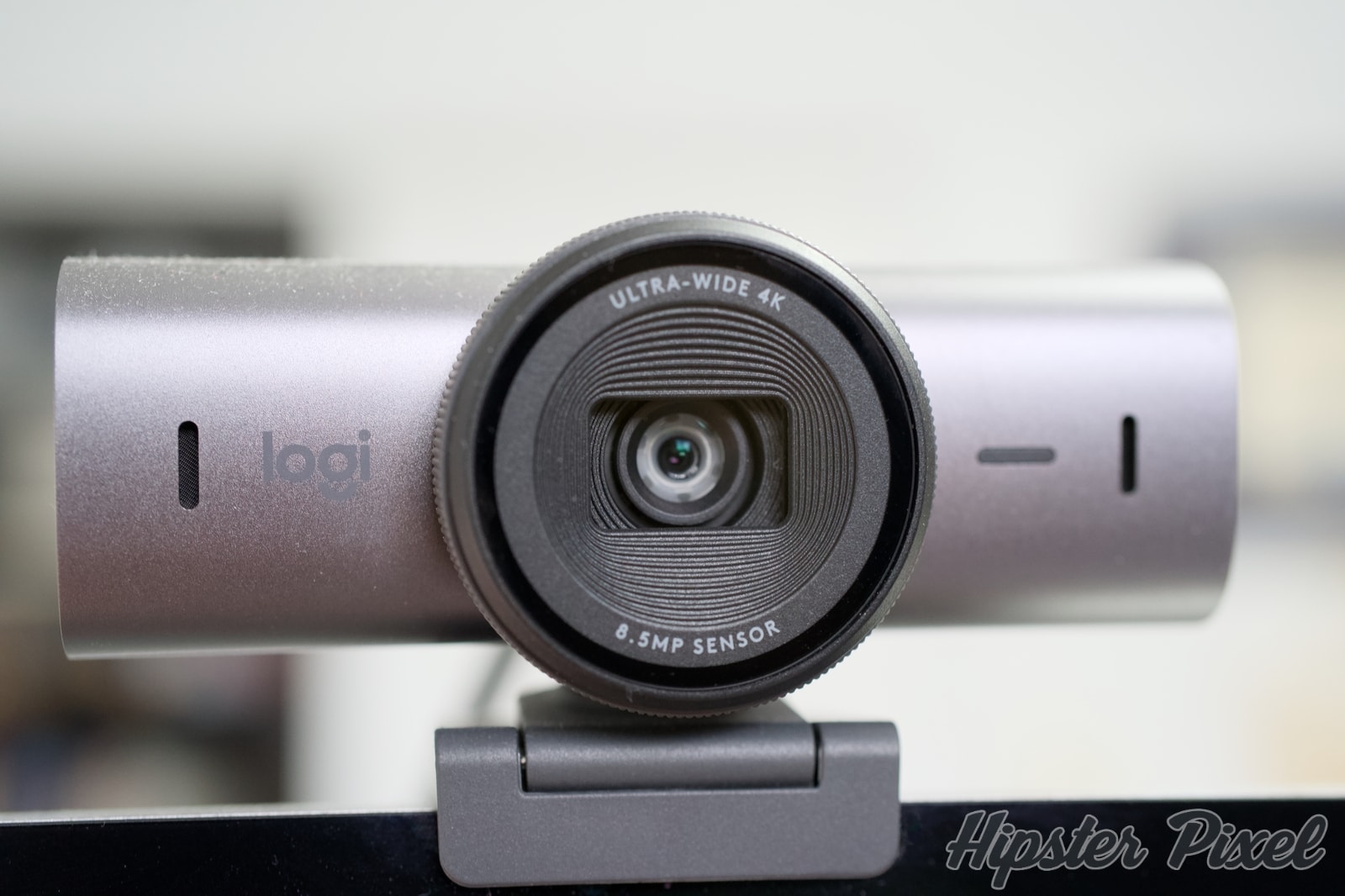
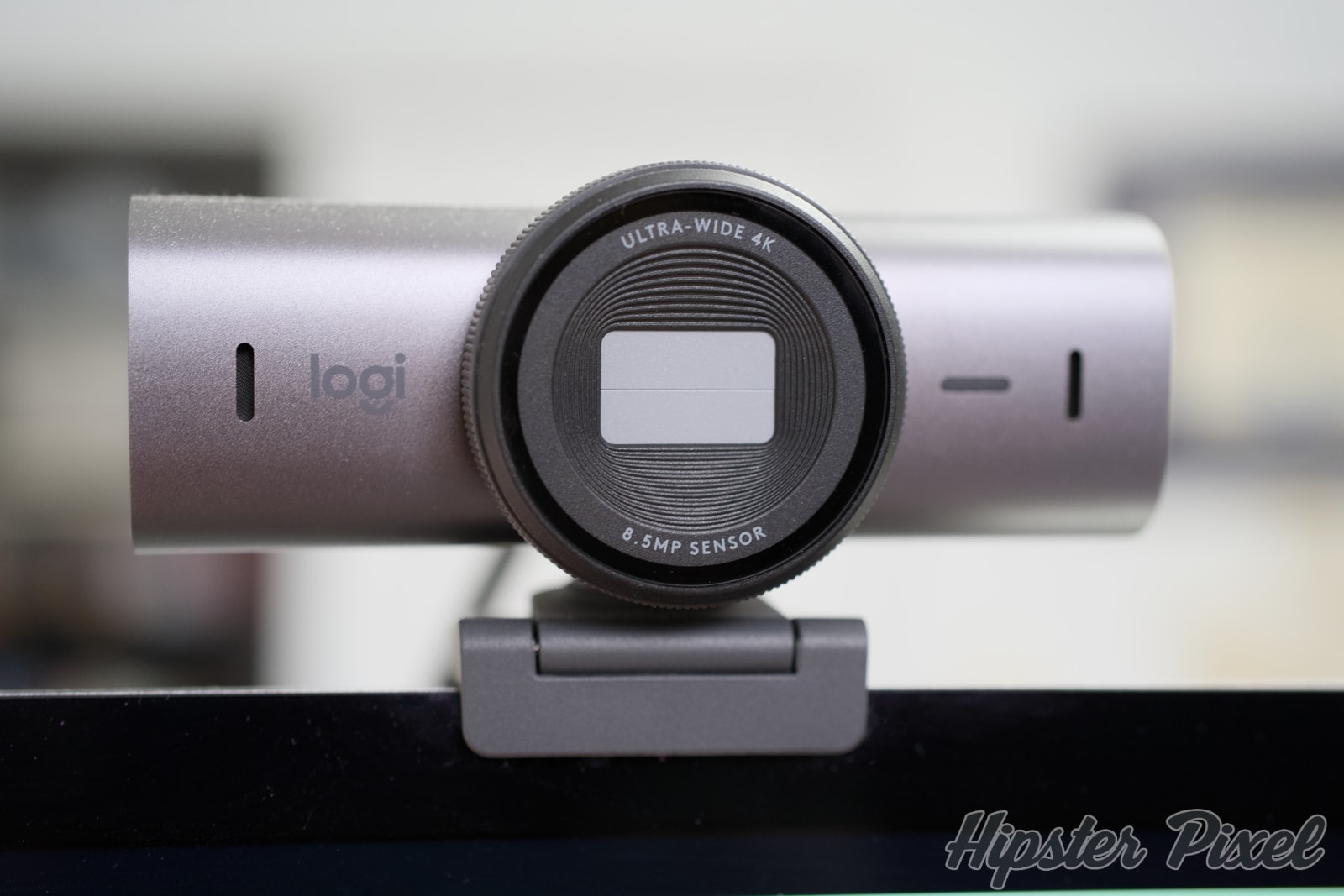
The MX Brio represents a significant departure from Logitech’s previous webcam designs. Gone are the plastic housings of yesteryear, replaced by a sleek aluminum body that perfectly matches other products in the MX lineup. The webcam features a magnetic privacy shutter that elegantly slides into place, protecting both your privacy and the lens when not in use.
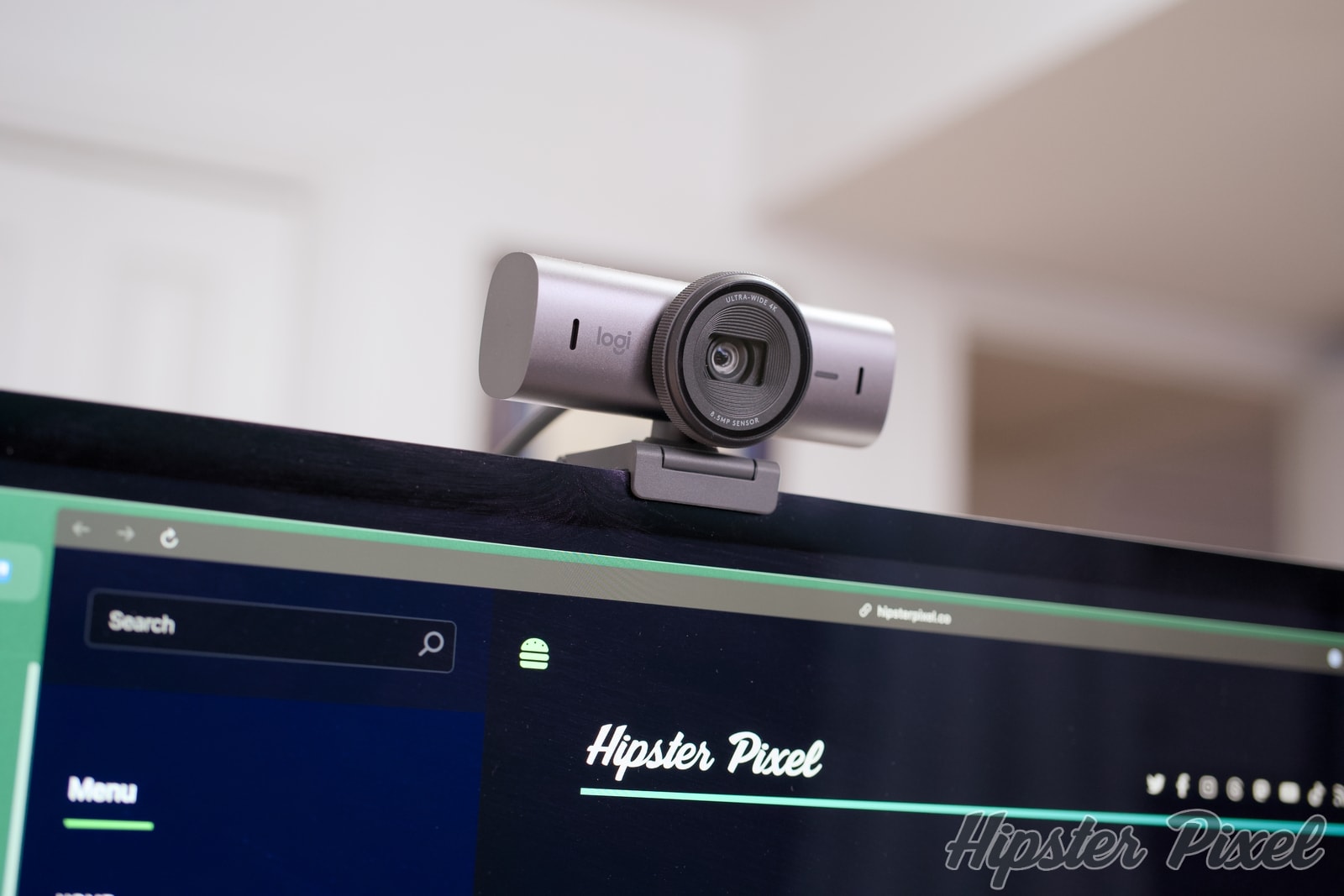
The mounting system has been completely redesigned, offering a sturdy magnetic mount that works on both monitors and laptops. The mount includes a 1/4" thread for tripod compatibility, making it versatile for different setups. The included USB-C cable is braided and detachable, adding to the premium feel of the product.
The front of the camera features subtle LED indicators that show when the camera is active and when AI features are engaged. These lights are visible enough to be useful without being distracting during use. The privacy shutter makes a satisfying click when engaged, adding to the premium feel of the device.
Features
- 4K HDR video at 30fps, 1080p at 60fps
- AI-powered auto-framing and subject tracking
- Advanced light correction with HDR
- Dual noise-canceling microphones
- Privacy shutter with magnetic attachment
- USB-C connection with detachable cable
- Compatible with Windows, macOS, and ChromeOS
- Integration with Logi Options+ software
- Multiple field of view options (65°, 78°, 90°)
Performance
The MX Brio’s video quality is nothing short of impressive. The 4K sensor captures incredibly detailed images, and the HDR capability ensures excellent performance even in challenging lighting conditions. The auto-framing feature, powered by AI, keeps you centered in the frame even as you move around, though you can easily disable this if you prefer manual control.
One of the standout features is the light correction technology. Whether you’re backlit by a window or in a dimly lit room, the MX Brio adjusts automatically to maintain proper exposure. The colors are natural and accurate, avoiding the oversaturated look that many webcams produce.
The dual noise-canceling microphones perform admirably, though they won’t replace a dedicated USB microphone for professional audio needs. They’re more than adequate for video calls and casual content creation, with clear voice pickup and good background noise suppression.
Software Integration
The Logi Options+ software provides extensive control over the camera’s settings. You can adjust the field of view, enable or disable AI features, and fine-tune image parameters like contrast, saturation, and white balance. The software also allows you to create custom presets for different lighting conditions or use cases.
While the camera works perfectly fine without the software, the ability to save preferences and quickly switch between different configurations adds significant value for power users. The AI features can be toggled directly from the software, and updates regularly bring new features and improvements.
Desk View
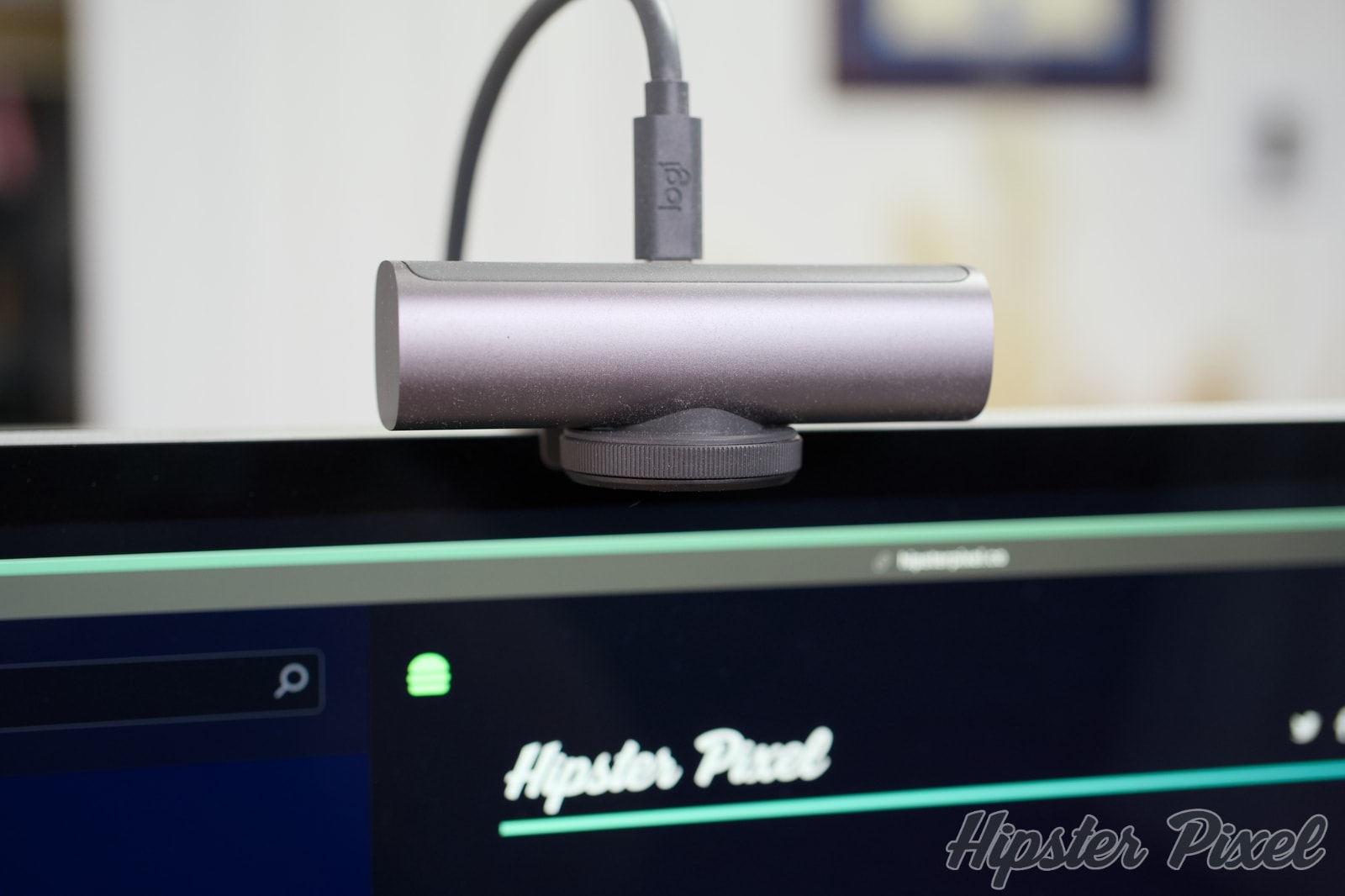
The Desk View is not something everyone needs, but when you do want to show your colleagues something you sketched real quick, it becomes immensely useful! Just flip the camera to face down on your desk and automatically it rotates the view and allows you to showcase your creation.
Real-World Use
In daily use, the MX Brio consistently delivers exceptional video quality. The auto-framing works well in most situations, though it can sometimes be a bit aggressive in its adjustments. The privacy shutter is a welcome feature, especially for those concerned about security.
The multiple field of view options prove particularly useful, allowing you to choose between a wider angle for group shots or a tighter frame for individual calls. The mounting system is secure and the magnetic attachment makes it easy to adjust the angle as needed.
Battery impact on laptops is minimal, though running at 4K resolution does require more processing power. Users with older systems might want to stick to 1080p for the smoothest experience.
Conclusion
The Logitech MX Brio represents the pinnacle of webcam technology, offering exceptional video quality and innovative features in a premium package. While the price point might be steep for casual users, professionals who depend on video communication or content creators will find the investment worthwhile.
The combination of excellent hardware, thoughtful design, and useful software features makes the MX Brio a standout product in Logitech’s lineup. It’s not just a webcam; it’s a professional tool that can significantly enhance your virtual presence.
For those who demand the best video quality and are willing to pay for premium features, the MX Brio is an excellent choice. It’s available for $199 US ($269 CA) in a sleek graphite finish that matches perfectly with other MX series products.
Review Summary
MX BrioLogitech
A premium 4K webcam with AI-powered features and professional-grade video quality for remote work and content creation.
The Good Stuff
- Exceptional 4K HDR video quality
- AI-powered auto-framing and lighting correction
- Premium build quality with aluminum body
- Versatile mounting options
- Privacy shutter included
- Premium price point
- Requires USB 3.0 for 4K
- Software features limited to Logi Options+
The Ratings
Overall: 90%
Disclaimers:
This product or service was provided by the company or partner for the purpose of this review.
For more information on how we score products, please read how we review products.
For more information on how we score products, please read how we review products.

![Studio Neat Walnut Pen Tray [Review]](https://img.hipsterpixel.co/walnut-dual-pen-tray-by-studio-neat-review-30.jpg "Studio Neat Walnut Pen Tray [Review]")
